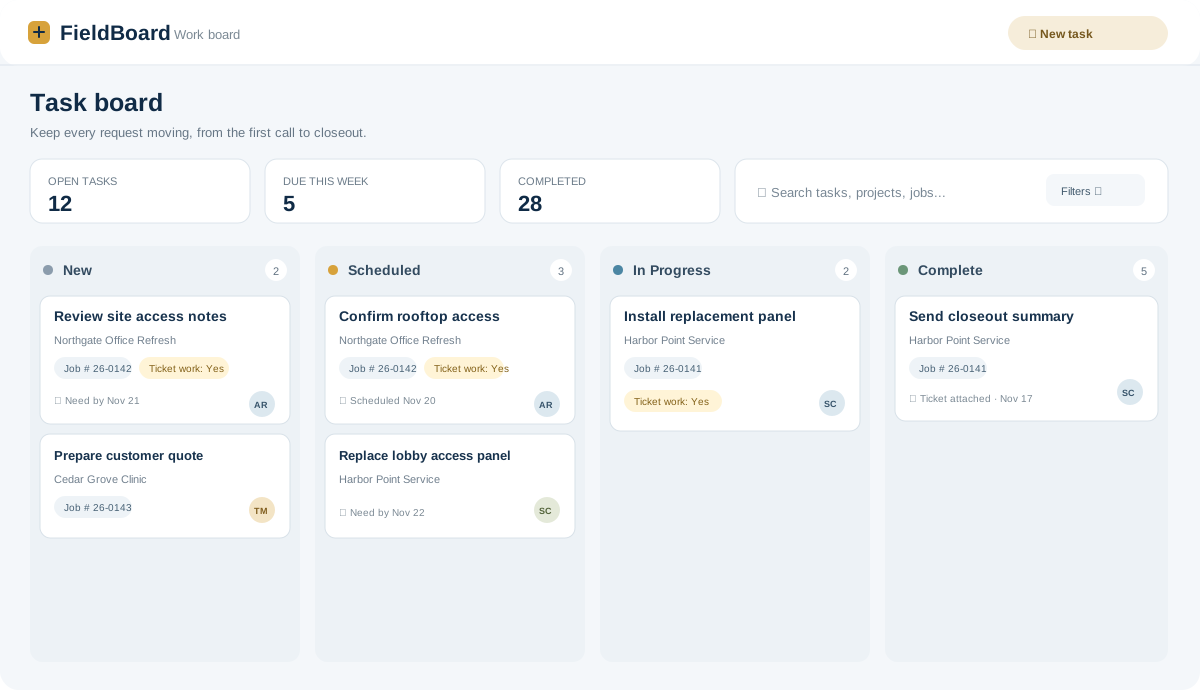
Schedule and track tasks
Assign an owner, set requested and due dates, and move each task through clear work statuses.
Board and list viewsFiltersUrgent flags

FieldBoard helps small service teams organize the work behind every visit—from scheduling and service tickets to job files, custom forms, and billing follow-up.
Keep common service workflows connected, without turning a small team’s day into an enterprise software project.
Assign an owner, set requested and due dates, and move each task through clear work statuses.
Capture customer details, work performed, labor, materials, and a customer signature in a consistent ticket.
Link tasks, tickets, and documents to a job number, then find related work from the job record.
Create reusable checklists and forms for things like startup work, safety reviews, or site-specific steps.
Upload job files, organize folders, and link the right documents to the work that needs them.
Review invoice requests and keep paid, partial, and outstanding amounts visible to the right roles.
Give the team a shared view of current work. Search and filter by project, job number, technician, project manager, status, or ticket work.
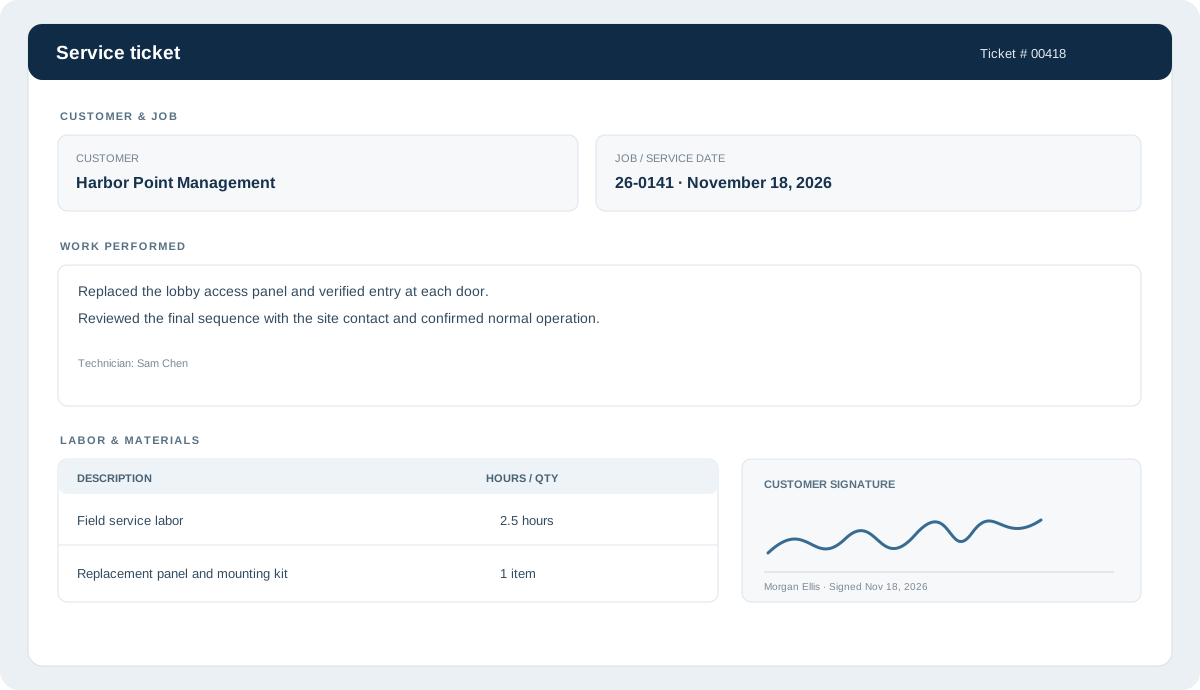
Create tickets from the task board or start a ticket directly. Keep customer and job information with the record, then retrieve it from the ticket archive.
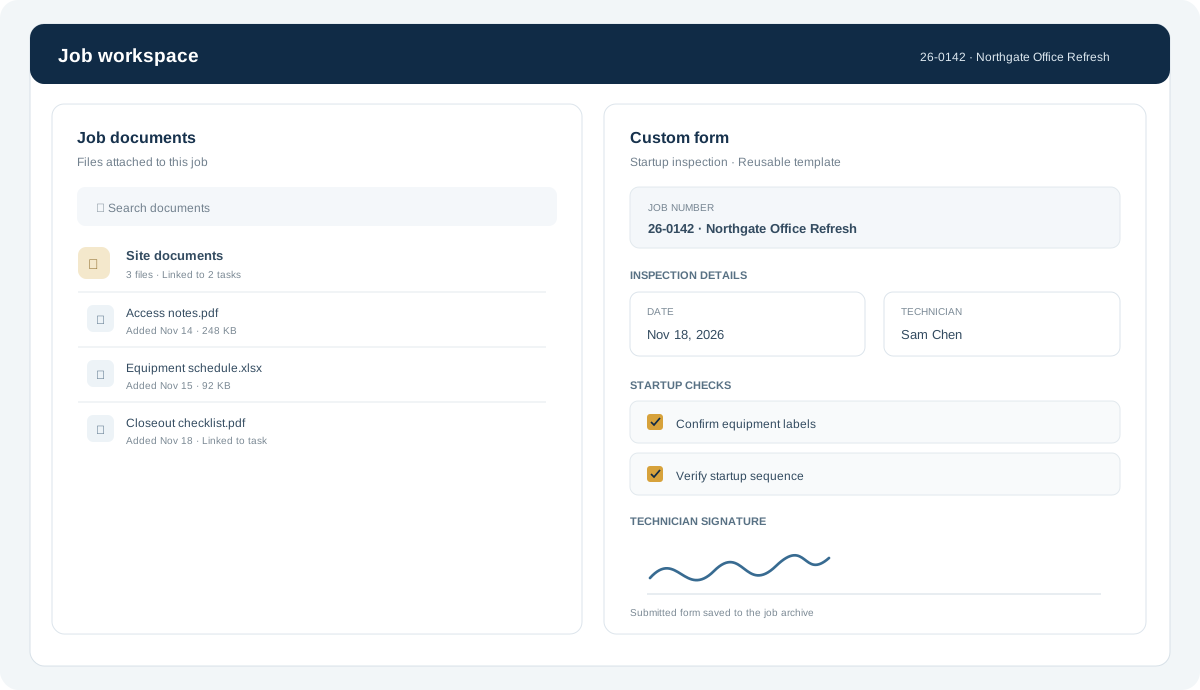
Attach documents to a job, organize a shared file library, and create reusable forms for the steps your team repeats.
FieldBoard keeps the steps around service work visible to the people who need them.
Create a task, connect it to a job, set the need-by date, and give it an owner.
Use comments, statuses, reminders, and links to files to keep the office and field team aligned.
Submit the ticket or form, keep the record in its archive, and follow invoice status through payment.
FieldBoard is for companies that need practical tools for scheduling, service documentation, job files, and team follow-up—without buying a much larger operations suite.
Contact us for pricing or to talk through your company’s workflow.